
ClaimHunt: Class Action Claims
Push appsFinance
4.868.00 Reviews
- Version
- 1.5
- Installs
- 10.00K
- Age Rating
- Everyone
Screenshots

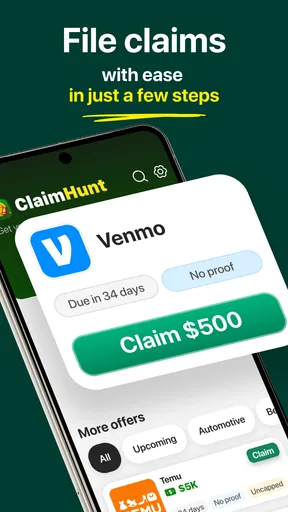
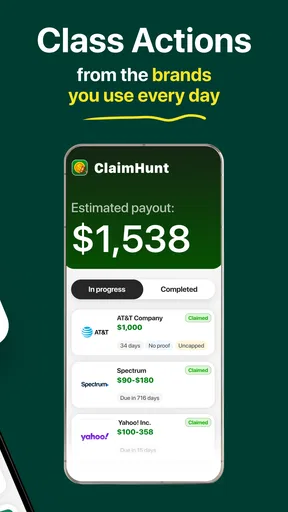
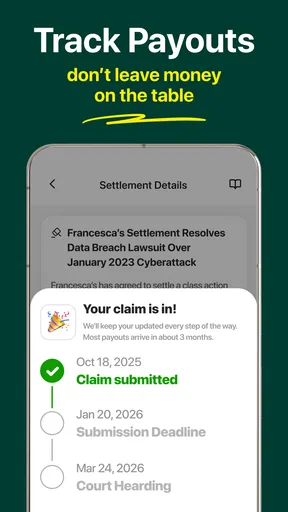
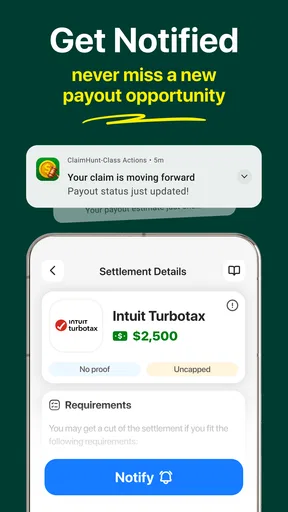

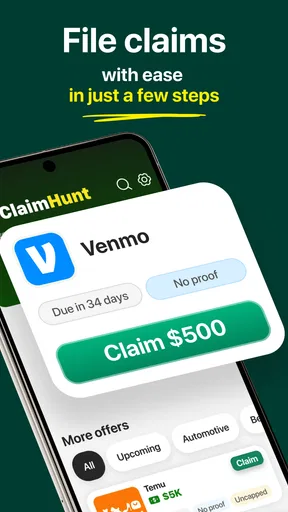
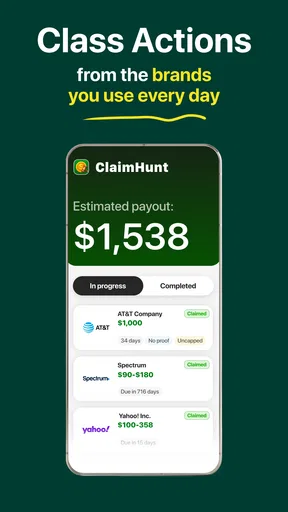
Our Review of ClaimHunt: Class Action Claims
 Analysis by Appyee
I approached ClaimHunt: Class Action Claims as a practical finance app rather than something I would open for entertainment. Its purpose is simple: help me find settlement opportunities, decide whether I may qualify, submit claims, and keep an eye on refunds that might otherwise be easy to forget. That sounds narrow, but it addresses a very ordinary problem. Many people hear about a class action only after the deadline has passed, or they see a notice and cannot remember whether they already submitted anything.
My first impression is that ClaimHunt is most useful when treated as a repeatable checking habit, not as a one-time search tool. The app is free to install, and its Everyone age rating makes it approachable for a broad household audience. Push apps is the developer, and the current release is version 1.5. The finance category is a sensible fit because the real value is in organizing possible compensation rather than managing a bank account or building a budget.
How I used ClaimHunt in a normal week
The baseline workflow is straightforward. I would open the app, review the available settlement entries, read the eligibility details carefully, and then decide whether an item deserved further attention. That last step matters more than it may seem. A settlement title can sound familiar while the actual requirements depend on a particular product, service, purchase period, location, or type of loss. I would not treat a matching brand name as proof that I qualify.
For each promising entry, I would slow down before submitting anything. I would check what kind of proof is requested, whether the claim relates to something I genuinely used or bought, and whether the filing information matches my own records. This is where the app can save time, but it cannot replace personal verification. ClaimHunt can bring an opportunity to my attention; I still have to provide truthful details and make the final eligibility judgment.
A realistic example would be a person who receives several emails and receipts during the year but rarely revisits them. On a quiet weekend, that person could use ClaimHunt to scan current settlement opportunities, compare the requirements with old order confirmations, and handle the claims that clearly fit. The useful habit is not rushing through every listing. It is keeping a small folder of receipts, account notices, and purchase dates so that a possible claim can be checked without reconstructing an entire shopping history.
I also found that the app makes more sense when I separate three actions: discovery, verification, and follow-up. Discovery means noticing a possible settlement. Verification means checking the official requirements and gathering accurate information. Follow-up means remembering what I submitted and watching for a response or payout. Combining all three into one rushed session creates avoidable mistakes, especially when several entries look similar.
What I would check before filing
I would begin with the settlement name and description, then look for the qualifying event. Was eligibility based on ownership, a purchase, a subscription, a particular communication, or another specific circumstance? The answer determines whether the listing is relevant. I would also note any deadline shown in the claim materials and avoid leaving a potentially valid claim until the last day.
Next, I would prepare only information that belongs to the claim. A useful personal workflow is to keep the settlement name, the reason I believe I qualify, the relevant date range, and any supporting record together in one note. That makes the filing process less frustrating and reduces the temptation to guess. If I cannot answer a required question honestly, I would skip the claim rather than force a match.
One non-obvious benefit of this approach is that it exposes duplicate effort. If I have already filed through another channel, submitting again through a different route may not improve the outcome and could create confusion. I would mark completed claims immediately in my own records, including the date and the information used. ClaimHunt is helpful for finding and tracking opportunities, but my personal record remains the clearest way to avoid repeating myself.
Settings and account habits worth checking
Experienced use begins with reviewing the app’s available settings instead of accepting the first arrangement. I would check how notifications are presented, whether reminders can be adjusted, and whether the app lets me control how often I am prompted to return. I would prefer useful reminders over constant interruptions. A settlement app should support a calm routine, because urgency can encourage careless filing.
I would also inspect any account or tracking controls before relying on the app as my only record. The important question is not merely whether a claim appears in a list, but whether I can recognize its status later. If the app shows stages such as submitted or awaiting an outcome, I would still keep a simple external note with the settlement name and submission date. That small backup is worthwhile when a payout may arrive much later than the initial filing.
Another setting-related habit is to review the app after an operating-system update or an app update. ClaimHunt supports Android 7.0 and later, and version 1.5 is the release I reviewed. I would not assume that a familiar screen or notification behavior will remain identical forever. A quick check after updating helps confirm that reminders are still enabled and that I can locate my tracked claims without searching through the app.
The free entry point is convenient, but I would pay attention to any optional purchase screen before accepting it. In-app items range from $6.99 to $39.99 each, so I would first understand what a paid item provides and whether it is genuinely useful for my own filing routine. I would not pay simply because a settlement looks promising. A possible payout is never a guarantee, and a paid feature should be judged separately from the claim’s eligibility.
Shortcuts that make repeat use less tiring
The fastest pattern I found is a scheduled review rather than random checking. I would choose one regular time, open the app, clear entries that are obviously irrelevant, and save only the opportunities that deserve verification. This prevents the app from becoming another source of scattered notifications. It also creates a clear difference between new discovery and unfinished work.
I would use a three-part note for every serious candidate: “check,” “filed,” or “not eligible.” That sounds basic, but it prevents the common problem of repeatedly rereading the same settlement. For “check,” I would add the missing item, such as a receipt or purchase date. For “filed,” I would record when I submitted. For “not eligible,” I would note the reason briefly so that I do not revisit the same entry later.
A second useful shortcut is to search personal records before spending time inside a settlement form. If I already know that I have no matching subscription, purchase, or account history, there is little value in opening every filing step. Conversely, if I have a clear receipt or account statement, I can move through the relevant claim with more confidence. This reverses the inefficient habit of opening forms first and investigating eligibility afterward.
For households, I would keep responsibilities separate. One person can review opportunities, while another checks shared receipts or account records, but each claim should have one clearly identified filer. That reduces duplicate submissions and avoids mixing one person’s purchase history with another person’s details. ClaimHunt can be part of the household workflow, but it works best when the household also agrees on who is responsible for each claim.
There is also a useful trade-off between speed and accuracy. A quick scan is fine for discovering possibilities, but filing deserves a slower pass. I would never use a saved answer merely because it worked for a previous settlement. Similar-looking claims can ask different questions, and copying information without checking it can turn a convenient shortcut into an inaccurate submission.
Where the app helps, and where it cannot do the work
ClaimHunt’s strongest role is reducing the search burden. Without an organizer, people may depend on social media posts, email notices, legal websites, or word of mouth. Those sources can be useful, but they are scattered and easy to overlook. Having settlement opportunities gathered in a finance-focused app gives me a more repeatable starting point.
It is also useful for people who are comfortable doing their own checks but dislike administrative clutter. Someone who already keeps receipts and account records can use the app as a reminder layer. In that situation, the app does not need to replace every other resource. It simply points me toward opportunities that I can then validate using the relevant claim instructions.
The experience is less suitable for anyone expecting guaranteed money or automatic approval. A listing is not the same as an accepted claim, and an accepted claim is not necessarily an immediate payment. The amount, timing, and outcome can depend on the settlement process and the number of valid claims. I would therefore treat any potential refund as a possible recovery, not as income I can plan around.
I would also skip it if I wanted a complete personal finance dashboard. This is not the kind of app I would choose for budgeting, investment tracking, bill negotiation, or monitoring spending categories. A conventional finance manager is better for those tasks. ClaimHunt has a narrower purpose, and that narrowness is an advantage only if settlement discovery is actually the problem I am trying to solve.
Advanced limits and sensible caution
The main limitation is that no app can determine every personal eligibility detail on my behalf. I still need to interpret the requirements, locate accurate records, and answer questions honestly. That means the time saved is uneven. A simple claim may be quick, while a complicated one can require more research than the initial listing suggests.
I would be careful with personal information as well. Before entering details, I would read the claim instructions and confirm that I understand what is being requested. I would avoid uploading unrelated documents or sharing more information than a legitimate filing requires. The app can make the process feel convenient, but convenience should not lower my standards for privacy or accuracy.
Another limit is attention management. A high rating can encourage confidence, and ClaimHunt has a 4.8 average from around 1.4 thousand ratings, which suggests that many users find the concept useful. I would still judge each settlement individually. User satisfaction with the app does not confirm that a particular claim applies to me, nor does it predict the value or timing of a payout.
The install base is over 10 thousand, so the app is established enough to attract a meaningful group of users while still feeling focused rather than overloaded. I would not interpret that figure as proof that every settlement is comprehensive. For important opportunities, I would compare the app’s information with the formal claim instructions and keep the official deadline in view.
When a claim feels unusually valuable, I would be even more methodical. I would verify the qualifying facts twice, save a copy of my submission details, and avoid relying on memory for dates or product names. This is one of the most important advanced habits: the more attractive the possible payout seems, the less I should improvise.
Who should use it and who should choose another route
I would recommend ClaimHunt to people who regularly miss settlement notices, have trouble organizing receipts, or want one place to begin looking for possible refunds. It is particularly suitable for a user willing to spend a few minutes on a recurring review and then do the necessary verification independently.
I would be more cautious recommending it to someone who dislikes reading eligibility terms or expects a fully automatic process. The app can simplify discovery and tracking, but it does not remove the responsibility of understanding a claim. Users who rarely make online purchases, keep no records, or do not want to submit personal details may find the effort greater than the likely benefit.
Compared with searching the web manually, ClaimHunt offers a more focused routine. Compared with email alerts, it can be easier to revisit opportunities in one place. Compared with a general finance app, it is much narrower and should not be expected to manage broader money decisions. The best alternative depends on the problem: a browser search is better for independent cross-checking, email is better for notices sent directly to me, and budgeting software is better for everyday financial control.
The free price makes trying the basic workflow low-risk, but the optional purchases deserve a deliberate decision. I would use the free experience first, establish whether it actually helps me find relevant claims, and only then consider whether an in-app item solves a specific problem. Paying before developing that habit would be backwards.
My final view after building a routine
I see ClaimHunt as a useful administrative companion, not a shortcut to guaranteed compensation. Its value comes from turning an easy-to-forget task into a repeatable process: review, verify, submit accurately, and track the result. That workflow is more important than simply opening the app whenever a settlement headline appears.
My recommendation is strongest for organized but busy users who want help discovering opportunities without maintaining a complicated system. I would pair it with personal notes, saved receipts, and careful reading of each claim’s requirements. I would also keep expectations realistic and treat paid options as optional conveniences rather than necessary steps.
After using it this way, my verdict is positive but measured. ClaimHunt is most effective when it supports good habits instead of replacing judgment. If you want a focused way to look for class action refunds and keep track of what you have done, it is worth trying. If you need a full finance manager, instant payouts, or automatic eligibility decisions, a different kind of app will serve you better.
Verdict
Strengths of ClaimHunt: Class Action Claims
- Simple claim-filing process with clear step-by-step guidance.
- Helps users discover class actions they may qualify for.
- Saves time by organizing claim deadlines and requirements.
- Useful notifications can help prevent missed filing dates.
- No need to search multiple websites for eligible settlements.
Limitations of ClaimHunt: Class Action Claims
- Eligibility varies, so many listed claims may not apply to you.
- Payouts are uncertain and can be lower than expected.
- Some claims require detailed documents or proof of purchase.
- Personal information is needed to submit and manage claims.
- Available settlements may differ depending on your location.
Similar Picks in This Category
View All
Google Wallet
Google LLC4.3

Airtel: Recharge, Bank & Loans
Airtel4.0

PayPal - Pay, Send, Save
PayPal Mobile4.2

DANA Indonesia Digital Wallet
PT Espay Debit Indonesia Koe4.5

Binance: Buy Bitcoin & Crypto
Binance Inc.4.8

Cash App
Block, Inc.4.7
Frequently Asked Questions
What is ClaimHunt: Class Action Claims?
ClaimHunt: Class Action Claims is an app designed to help users discover class action settlements and check whether they may qualify to submit a claim. It typically presents information about available cases, eligibility requirements, deadlines, and potential payment details. The app is intended to simplify the process of finding settlements, but users should still review each official notice carefully before submitting personal information or a claim.
How does ClaimHunt help me find class action settlements?
The app organizes information about class action cases in one place, allowing users to browse or search for settlements that may apply to them. Listings can include descriptions of the case, qualifying purchase or usage dates, claim deadlines, estimated compensation, and submission instructions. Availability and accuracy may depend on the information provided by settlement administrators, so checking the official settlement website remains important.
Can everyone receive money through ClaimHunt?
No. ClaimHunt does not guarantee that every user will qualify for compensation. Eligibility depends on the specific requirements of each settlement, such as where you live, what product or service you used, the relevant dates, and whether you can provide supporting information. Even if you submit a valid claim, payment may depend on the number of approved claims and the settlement terms.
Is it safe to submit personal information through ClaimHunt?
Users should treat any claim submission carefully and review the app’s privacy policy before providing personal details. A legitimate settlement may request information needed to verify eligibility or issue payment, but you should avoid sharing unnecessary sensitive data. Before submitting, confirm that the case and claim form are connected to the official settlement administrator, and be cautious of requests for passwords, banking credentials, or upfront fees.
Does ClaimHunt charge a fee to find or submit class action claims?
The app may allow users to browse settlement information without paying, but its current features, payment model, and any optional services should be checked in the Google Play Store or Apple App Store listing. Class action claims generally should not require an upfront fee from eligible claimants. Always read the app’s terms, understand whether any service charges apply, and never pay someone simply for promising guaranteed compensation.
